Support
Something wrong, or a question the list below does not answer? Write to [email protected]. Please say which device you play on.
Questions
Is MegaGen Idle free?
The first part of the game is free: in your browser on this site, as a demo on Steam, and on Android and iPhone. The Full Game is a one-time purchase that unlocks everything after it.
How much can I play for free?
Everything up to research level 9: solar, wind, coal, hydro, tidal and natural gas power, oil drilling, and the research on the way, about 58 hours of play at an idle pace. The Full Game adds oil power, nuclear fission, fusion, the micro-supernova and the research that leads there.
What does the Full Game cost?
US$6.99 on Steam, and US$4.99 as an in-app purchase on Android and iPhone; the store shows the price in your currency. Buy it once and you own it, with every update after it.
Does it really keep going while I am away?
Yes. Your machines keep generating energy and your research keeps running while the game is closed, for up to a day. When you come back, a summary shows what you made.
Will my progress carry over to the Full Game?
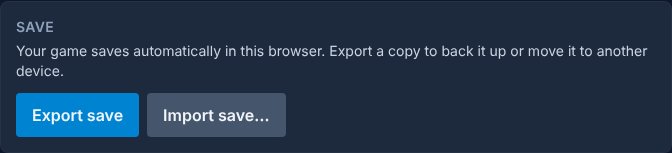
Yes. A save from the free part loads unchanged in the Full Game. On Steam the full game picks up the demo save by itself; from the browser, use Export and Import in Settings.
Are there ads or microtransactions?
No ads and no premium currency. The only purchases are the Full Game and the optional Supporter Pack, which is cosmetic and never speeds anything up.
Which platforms?
Windows on Steam (it plays on Steam Deck), Android, iPhone and iPad, and any modern browser. macOS and Linux are planned after the launch. English only at launch.
Move or back up your save
Your game saves by itself on your device. To keep a copy, or to carry it to another device or edition:
- Open the Settings tab in the game.
- In the Save section, choose "Export save". A small file downloads to your device.
- On the other device or edition, open Settings and choose "Import save", then pick that file.